Follow these steps to see your Second Chance Drawing entries through the NH Lottery app:
Step 1
Sign in using the person icon in the upper-right portion of your screen. Select Sign In from the menu and enter your New Hampshire Lottery account credentials.
Step 2
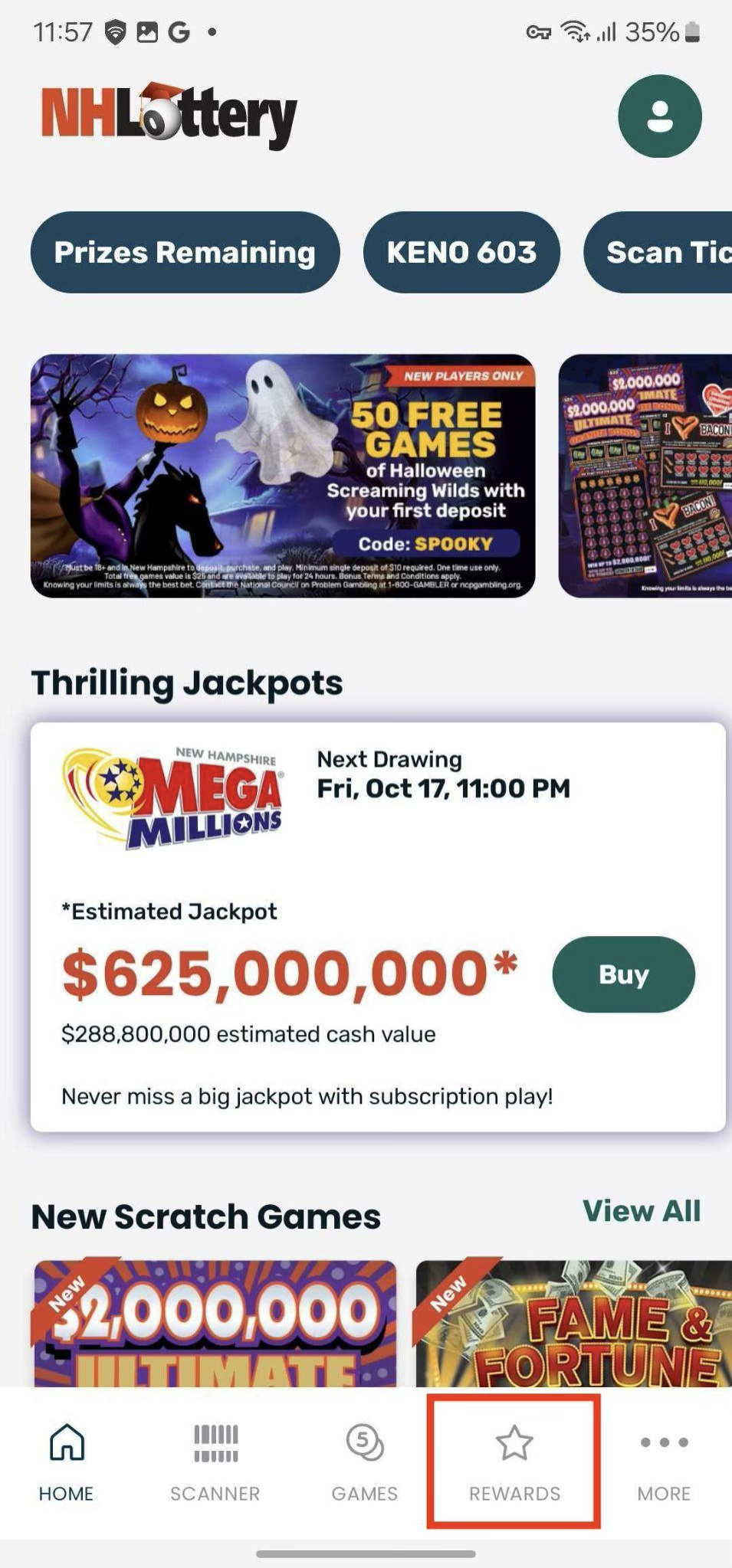
Tap the Rewards icon in the bottom navigation bar
 Step 3
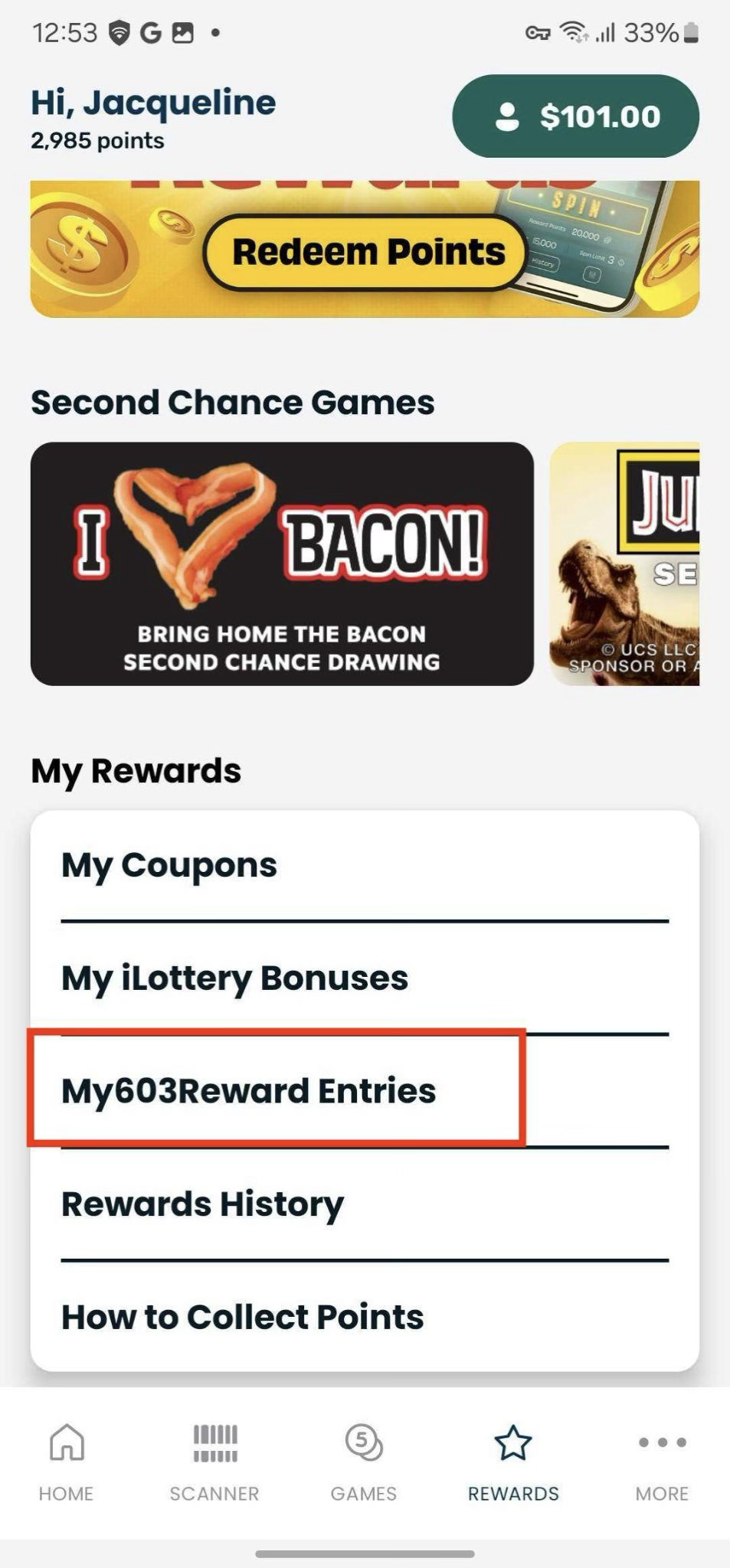
Tap My603Reward Entries
Step 4
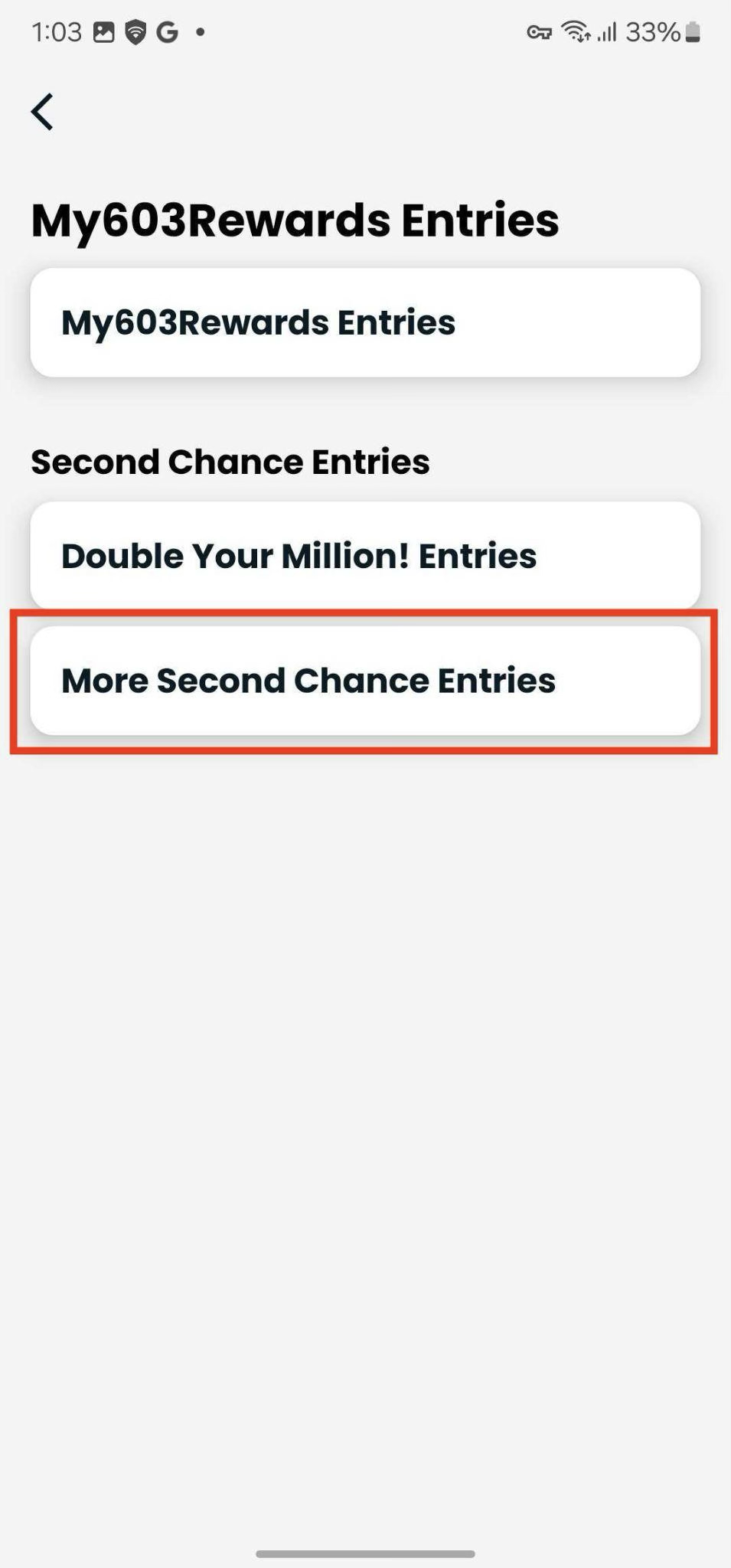
Tap More Second Chance Entries
Step 5
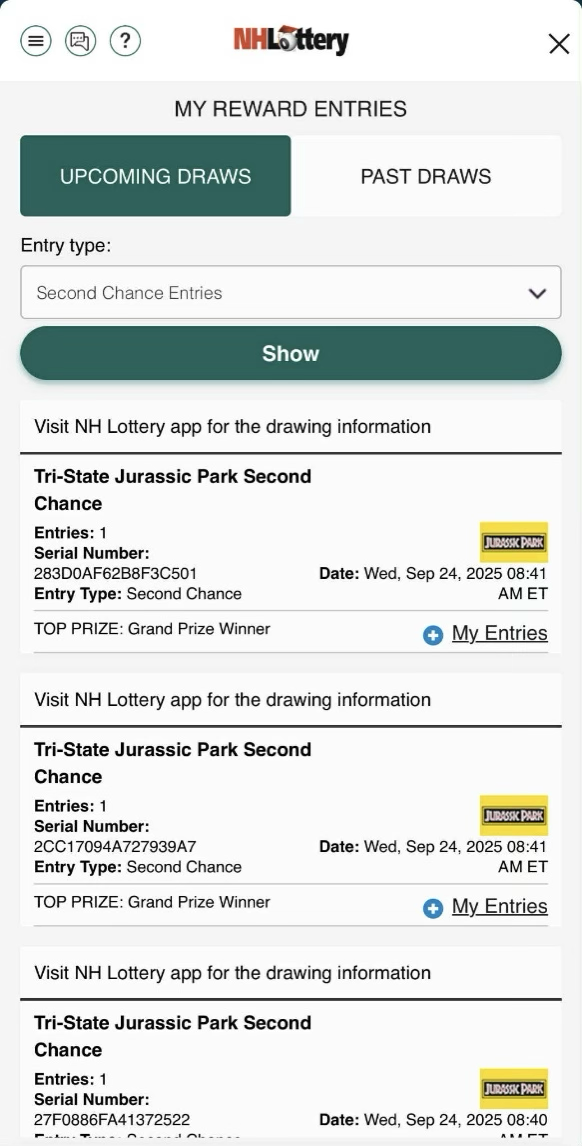
Here you can view all entries for upcoming Second Chance Drawings. You can tap “Past Draws” to see closed drawings you had entries into.
Note: If the Second Chance Drawing awards multiple entries per non-winning ticket scanned (in example: $5 scanned = 5 entries), tapping “+ My Entries” will show all entries for that scan.
Was this article helpful?
That’s Great!
Thank you for your feedback
Sorry! We couldn't be helpful
Thank you for your feedback
Feedback sent
We appreciate your effort and will try to fix the article