To view your cumulative entries from the Ticket Scanner screen, follow these steps:
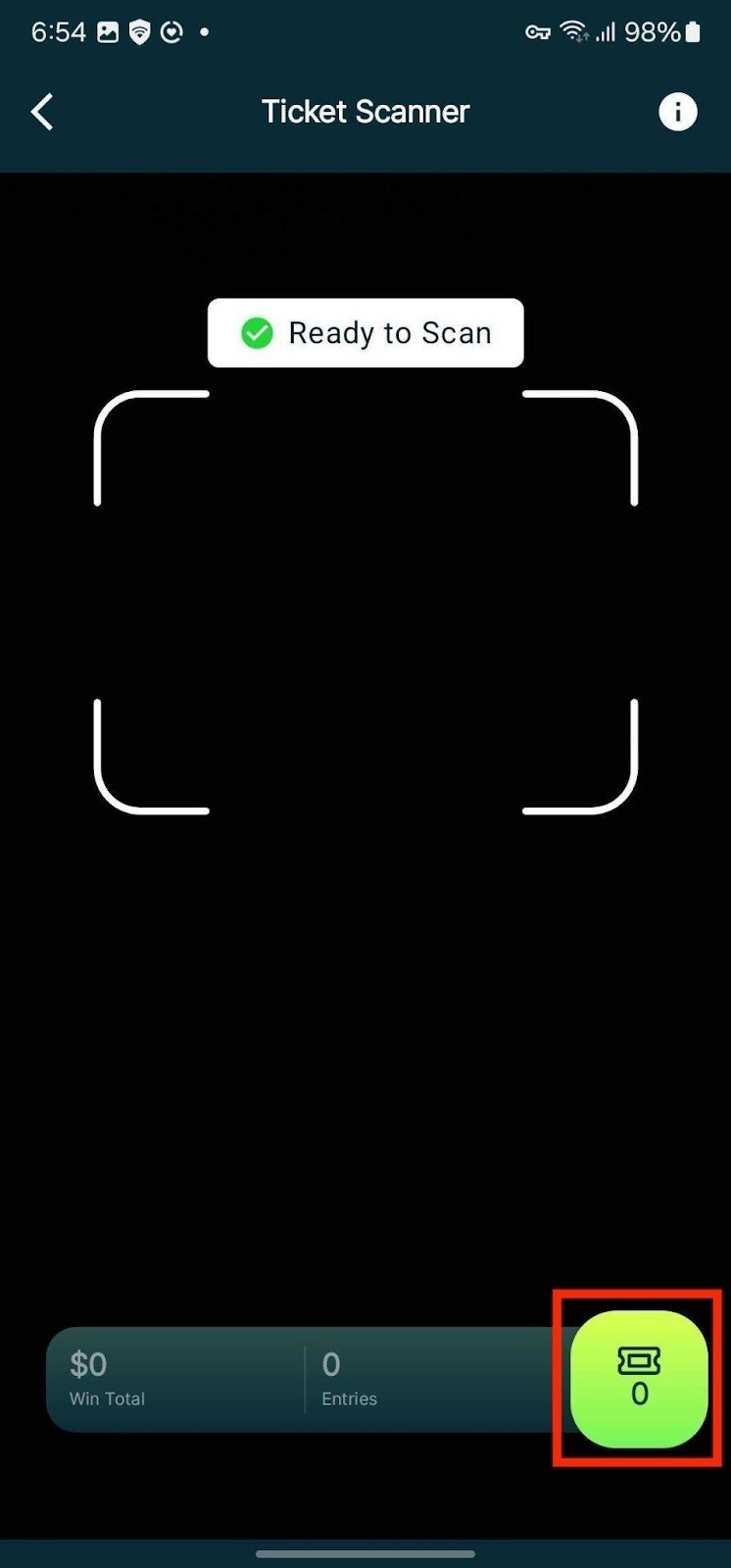
1. Tap on the Session Summary icon.
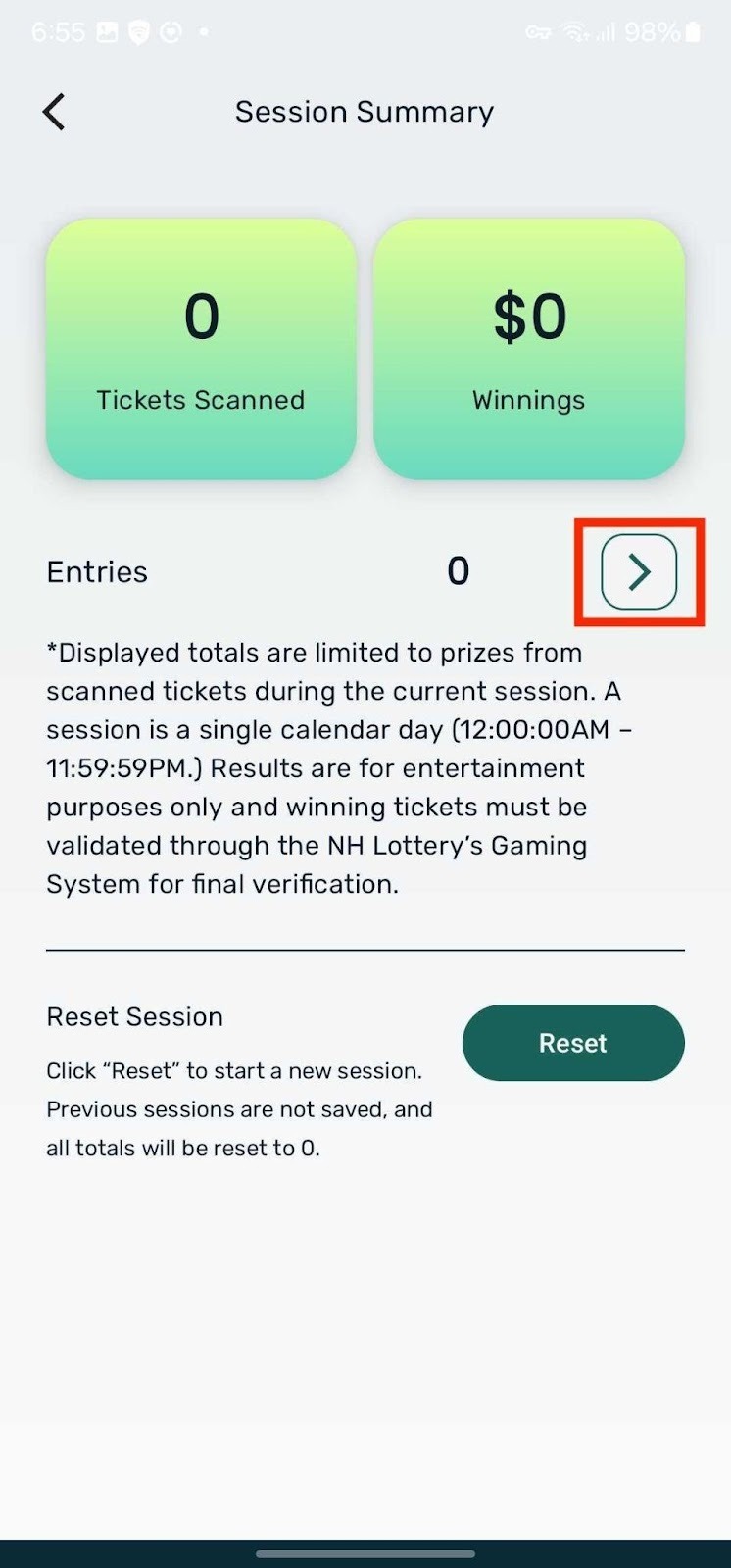
2. Tap on the arrow icon next to Entries.
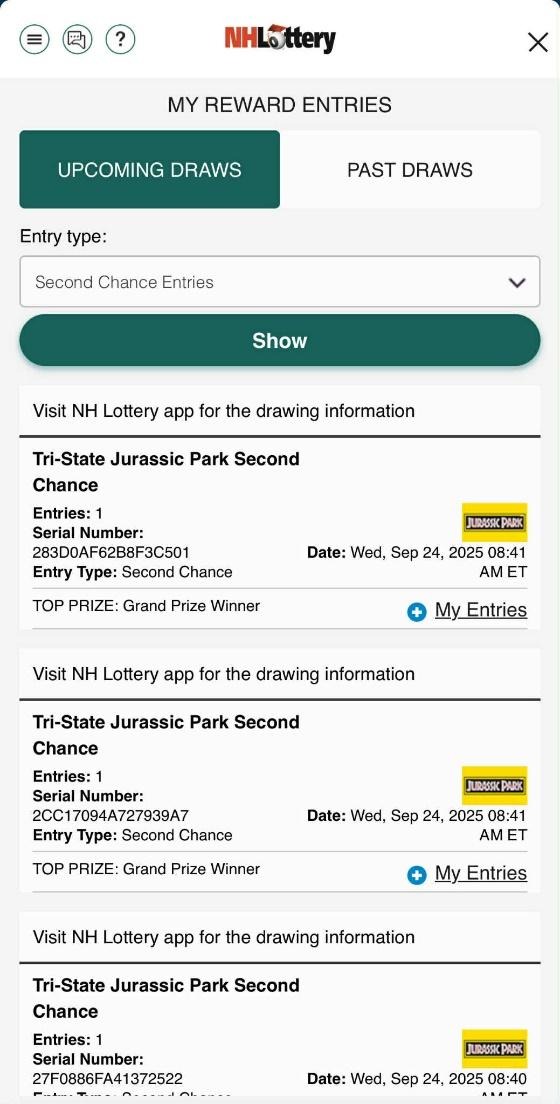
3. Your cumulative entries total will be displayed.
Was this article helpful?
That’s Great!
Thank you for your feedback
Sorry! We couldn't be helpful
Thank you for your feedback
Feedback sent
We appreciate your effort and will try to fix the article