There are multiple ways you can see if your ticket is a winner.
You can scan your ticket using the Ticket Scanner (see How do I scan my tickets?).
Alternatively, you can see your ticket results right in the KENO 603 game in the app. To do this, follow thse steps:
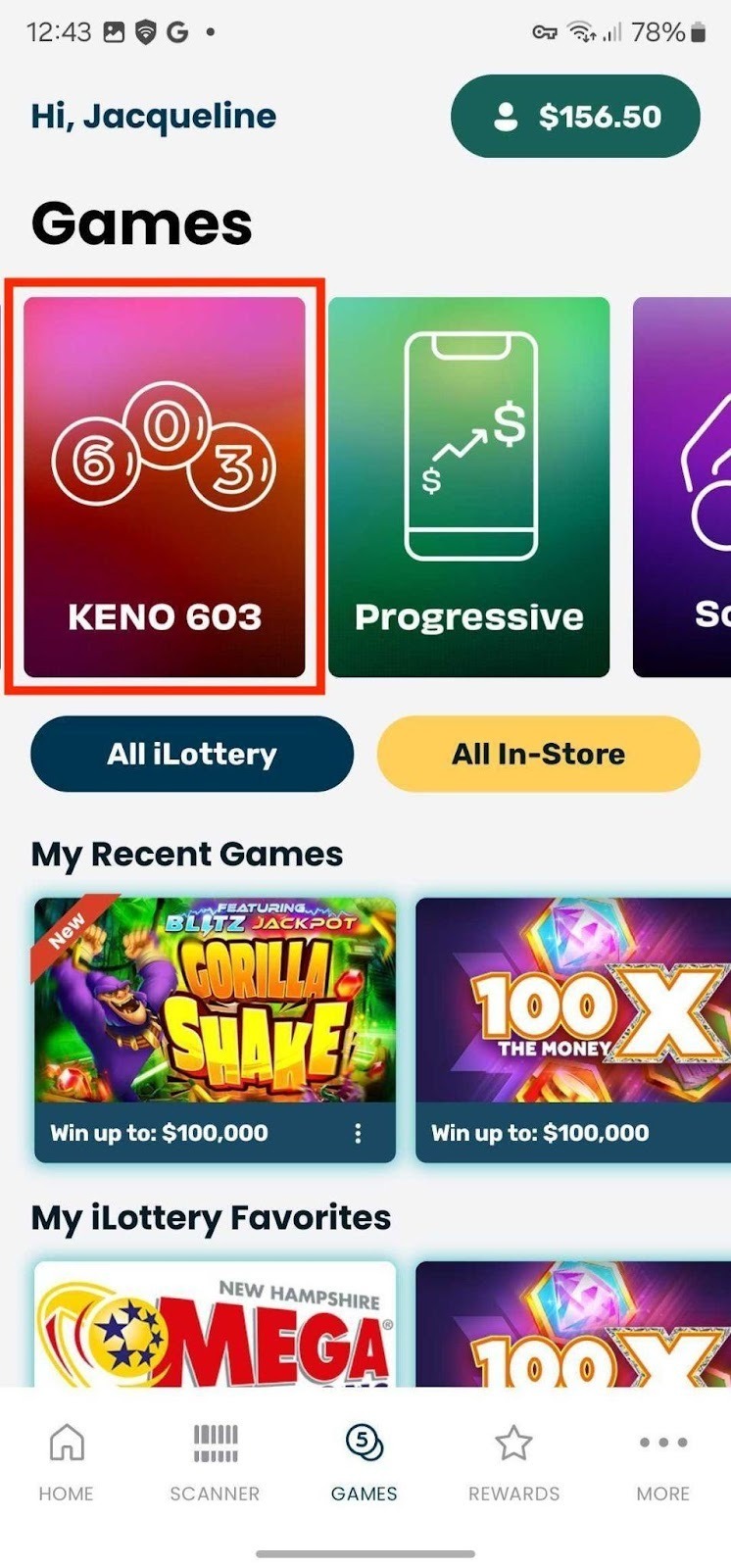
1. Navigate to the KENO 603 game.
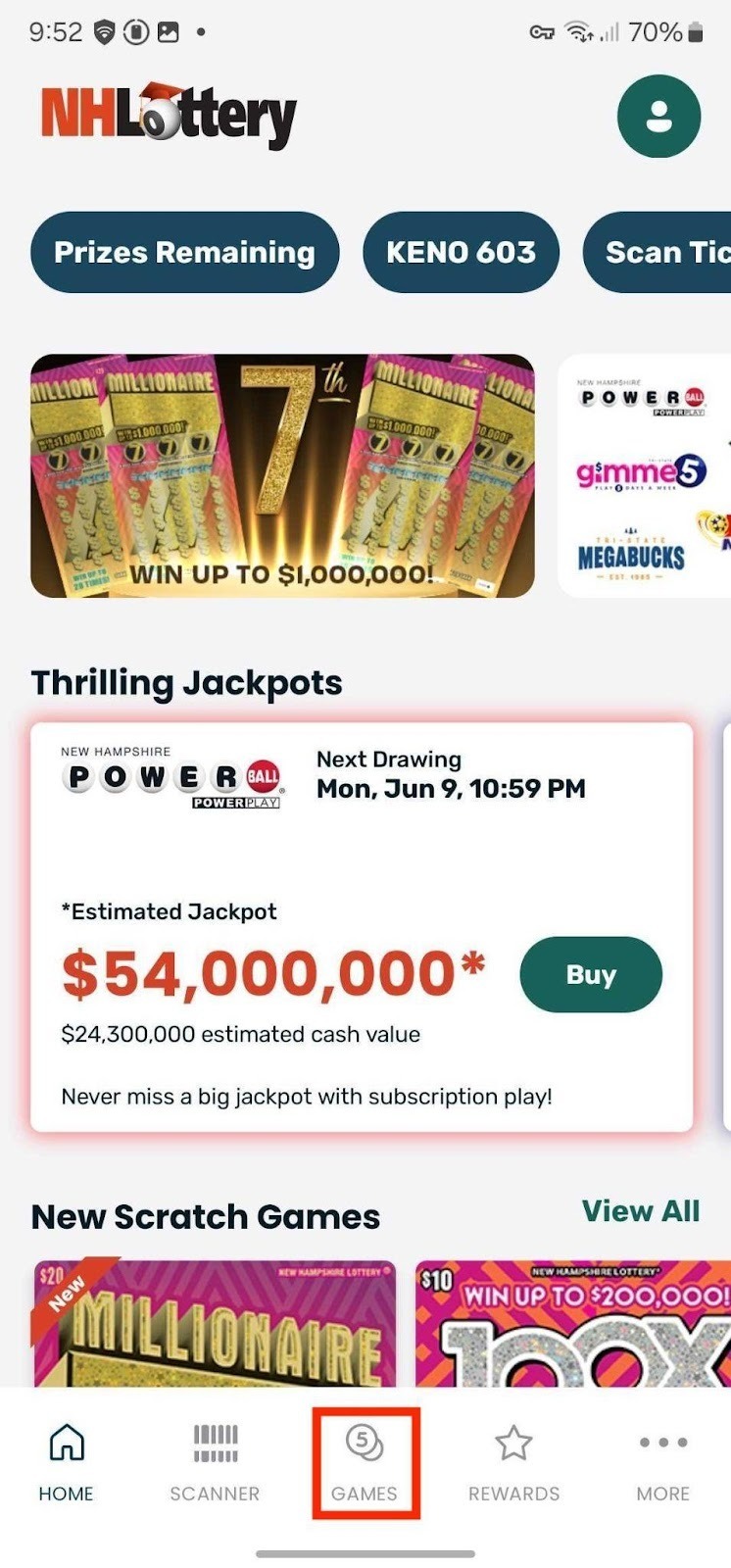
2. Tap on Games in the bottom navigation bar.
3. Tap on KENO 603.
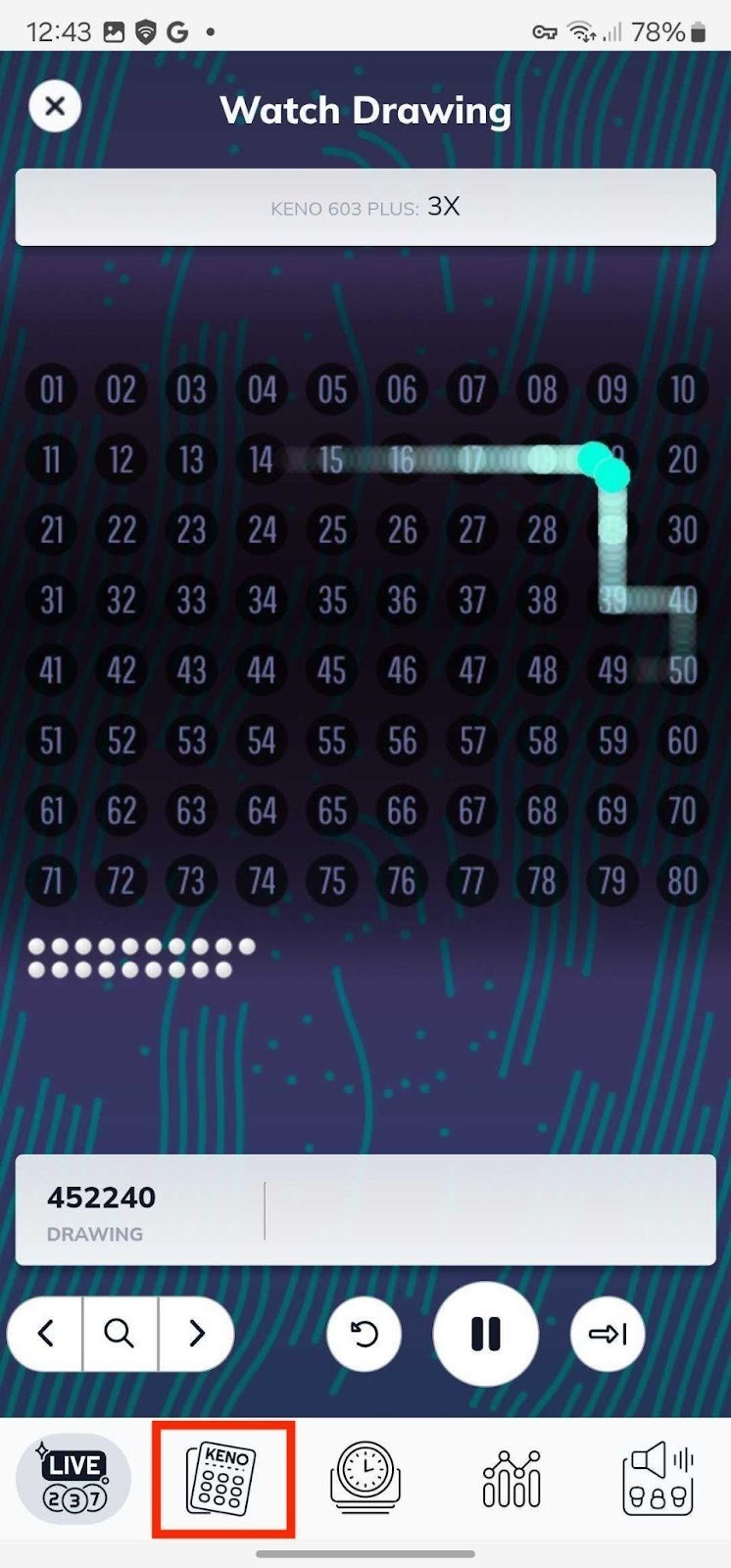
4. Tap on the Ticket icon in the KENO 603 bottom navigation bar.
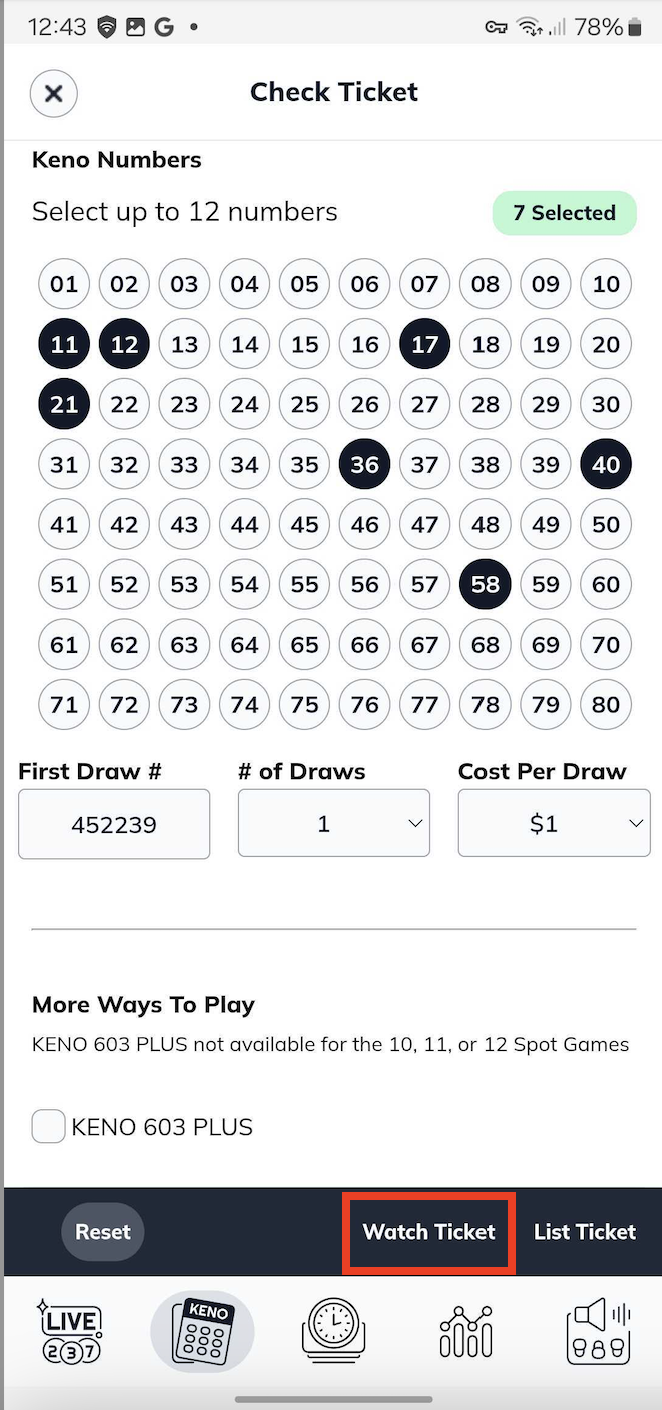
5. Enter your ticket information.
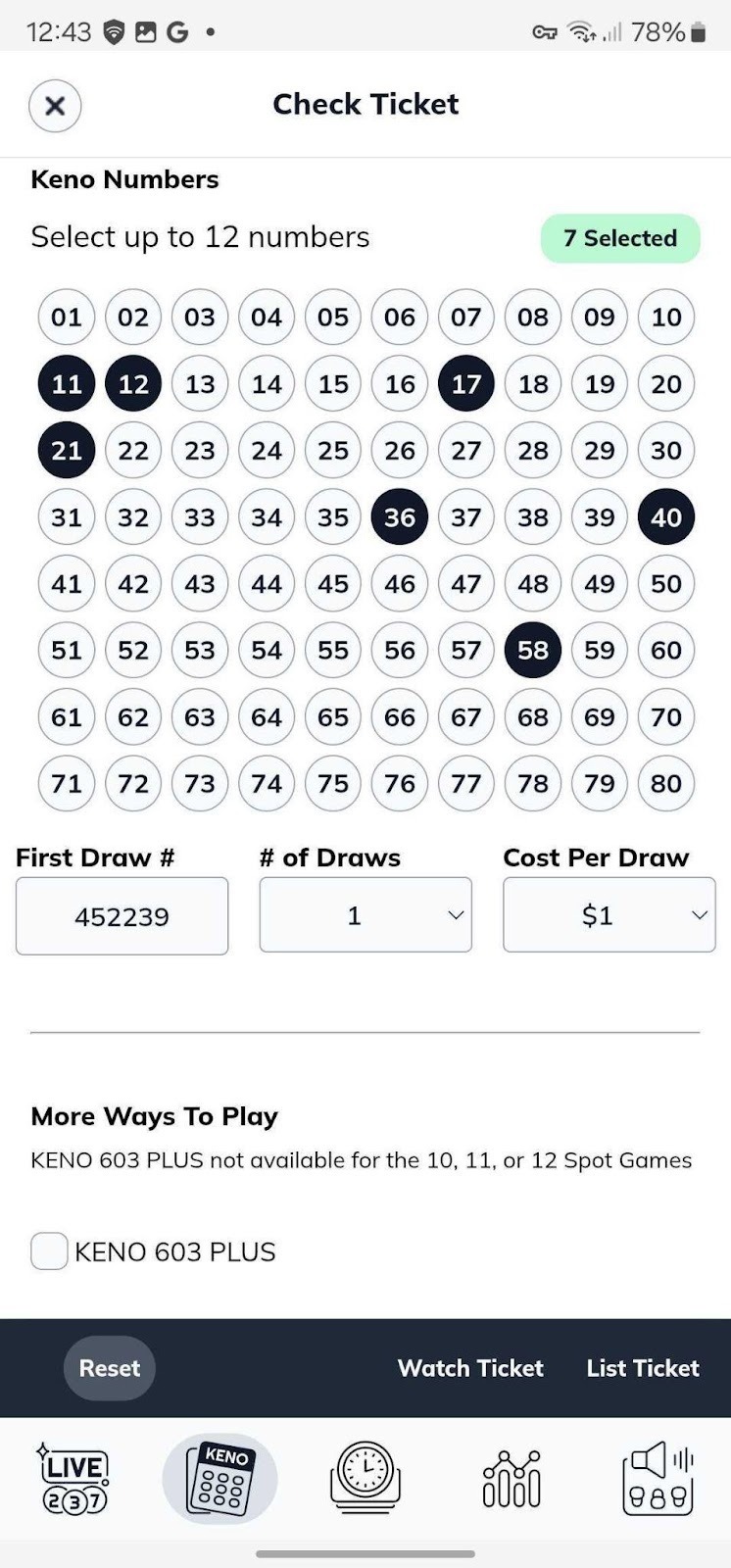
6. Tap Watch Ticket to watch the animation and see if you won.
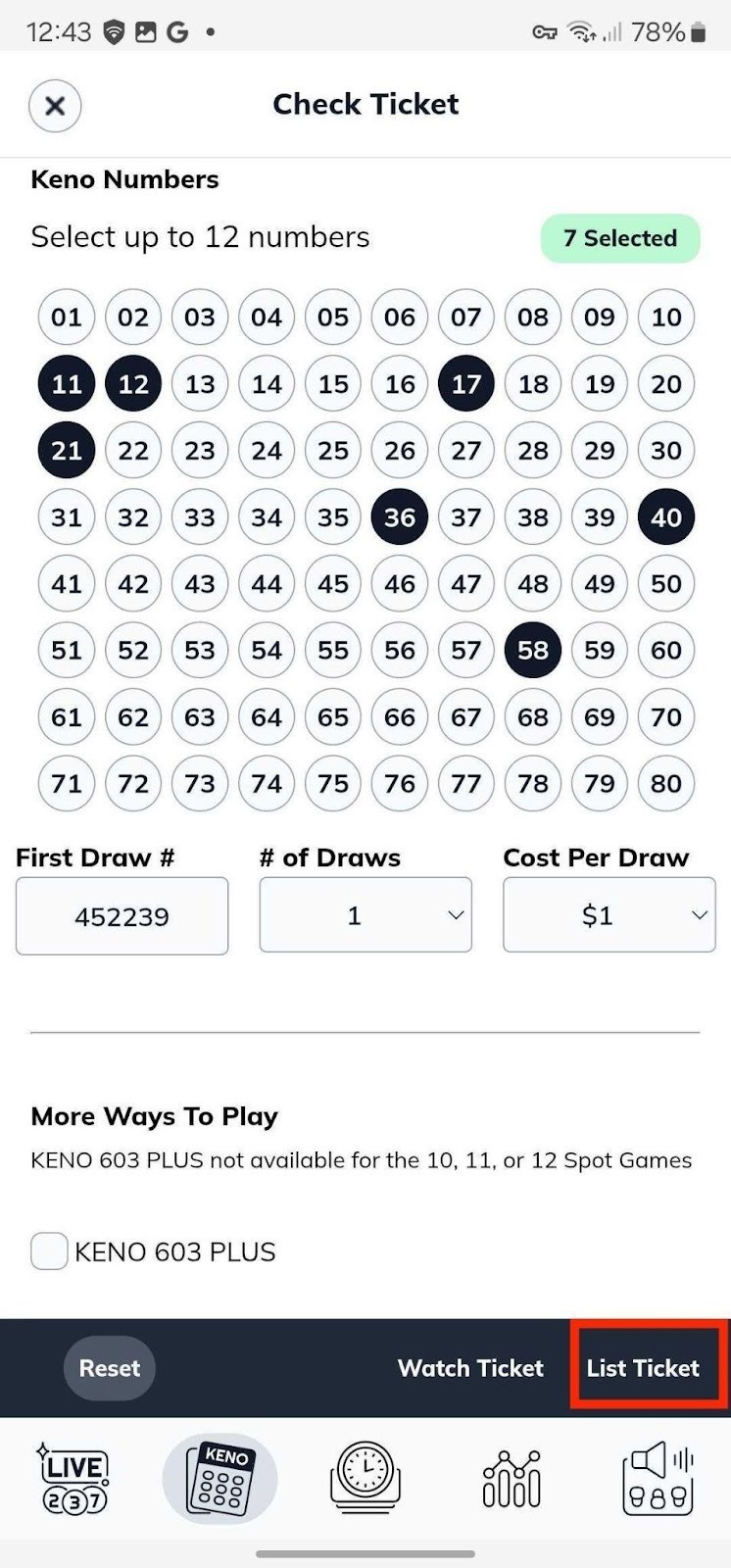
7. You can also tap List Ticket to see the outcome immediately.
Was this article helpful?
That’s Great!
Thank you for your feedback
Sorry! We couldn't be helpful
Thank you for your feedback
Feedback sent
We appreciate your effort and will try to fix the article